
Every lead email becomes a Salesforce record
Salesforce runs your pipeline. Parseur fills it. Parseur reads the lead emails landing in your inbox, extracts name, email, phone, company, and whatever else the message carries, and sends each one to Salesforce through Zapier as a lead or contact. Web-to-Lead only covers forms you own. Parseur covers everything else.
-
Website and portal enquiries
Parseur captures the contact details from the notification emails your website, portals, and directories send, and creates the Salesforce lead the moment the email arrives.
-
Third-party lead providers
Parseur handles lead emails from paid providers and marketplaces, each with its own layout, and delivers the same clean field set to Salesforce every time.
-
Business cards and event lists
Parseur reads scanned business cards and attendee lists emailed after an event, so conference leads reach Salesforce while they are still warm.
How the Salesforce integration works
-
1. Create your Parseur mailbox
- Sign up and get a dedicated email address where your documents land.
-
2. Forward your emails
- Send emails manually or set up auto forwarding so every new one arrives on its own.
-
3. AI extracts the data
- Parseur reads each email and pulls out the fields you need as structured data.
-
4. Data lands in Salesforce
- Zapier picks up the parsed data and sends it to Salesforce in real time.

What is Parseur?
Parseur is a powerful document processing software to extract text from emails, PDFs and documents and automate your workflow. All Parseur features.

What is Salesforce?
Salesforce (or Sales Cloud) is a customizable CRM platform that grows with you. Get real-time customer information and activity in one place, plus insights with dashboards and reports. It been named as a Leader in the 2020 Magic Quadrant for Enterprise Low-Code Applications Platforms (LCAP) by Gartner.

What is Zapier?
Zapier is a cloud automation tool that connects apps together. You can connect two or more apps to automate repetitive tasks without coding or relying on developers to build the integration.
Trusted for CRM email workflows in production
BuildYourBnB, a short-term rental business hosting over 10,000 guests per year, uses Parseur with Zapier to route email data into its business tools automatically, the same setup this Salesforce integration uses. Founder Boris Mordkovich tested Parseur against Zapier's own email parser and found it more accurate on the rich HTML emails that platforms send.
- Guests hosted per year on Parseur-powered workflows
- 10,000+
- Documents processed by Parseur since 2016
- 100M+
- Parseur rating on Capterra and GetApp
- 5/5
Do you receive hundreds of leads in your mailbox from different platforms on a daily basis? Do you find it time-consuming to extract those leads details from your emails and, manually create records in Salesforce?
Get off this hamster wheel and take your lead automation to the next level.
Using Parseur , you can extract text from any document and send it to your Salesforce sales funnel in real time as perfectly structured data. Parseur is a no code tool to extract specific data from emails and PDFs in a point and click manner.
Our customers from various industries such as real estate, food ordering, mortgage leads and e-commerce use Parseur to extract leads from emails. Extracted data can easily be exported to Salesforce in just a few clicks.
Why integrate Parseur with Salesforce?
Once you receive multiple leads in different formats or layouts, you have to transfer those leads to Salesforce manually which is tedious and time-consuming. Integrating Salesforce with a powerful email parsing tool will help you to automatically:
- Create a lead after it registers on their website or via a web form
- Update a lead when it sends a support request via email
- Create a new record each time an email is parsed
What you will need
To use this integration you will need:
- A Parseur account with a configured mailbox
- A Salesforce account
- A Zapier account with a Zap between Parseur and Salesforce set up
Step 1: Sign up for your free plan and create your Parseur mailbox
Parseur is a visual template tool that has a built-in library of templates. You can also create custom templates even if you have zero coding knowledge. The machine learning behind Parseur will always pick up the right template whenever a new document comes in.
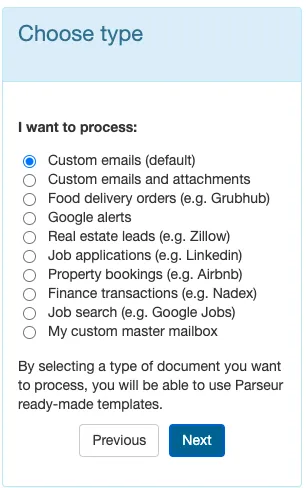
Choose the best option appropriate for your industry; for the purpose of this article, we will choose the default option.
Select the first option "custom emails (default)" to create your mailbox.
Step 2: Forward your email to the Parseur mailbox
The email will arrive in less than 10 seconds in the mailbox!
An auto-forwarding rule can also be set up so that your emails are sent automatically to your Parseur mailbox.

Step 3: Extract email data with AI

The parsed results will appear like this:

Every other similar email that you forward to this mailbox will be automatically processed by Parseur.
Step 4: Export the parsed data to Salesforce
Thanks to Zapier, another no code tool, we will setup a workflow between Parseur and Salesforce in no time. Once you click on "create zap", you will be redirected to your Zapier account. You may then create a new Zapier account or log into your existing one.

Zapier will prompt you to sign in to your Parseur account and select the Parseur mailbox where the parsed data is located.

Zapier will contact the Parseur API to retrieve the parsed email data.

Step 5: Connect Zapier with Salesforce
Choose Salesforce as "app" and Create Record as "action event"
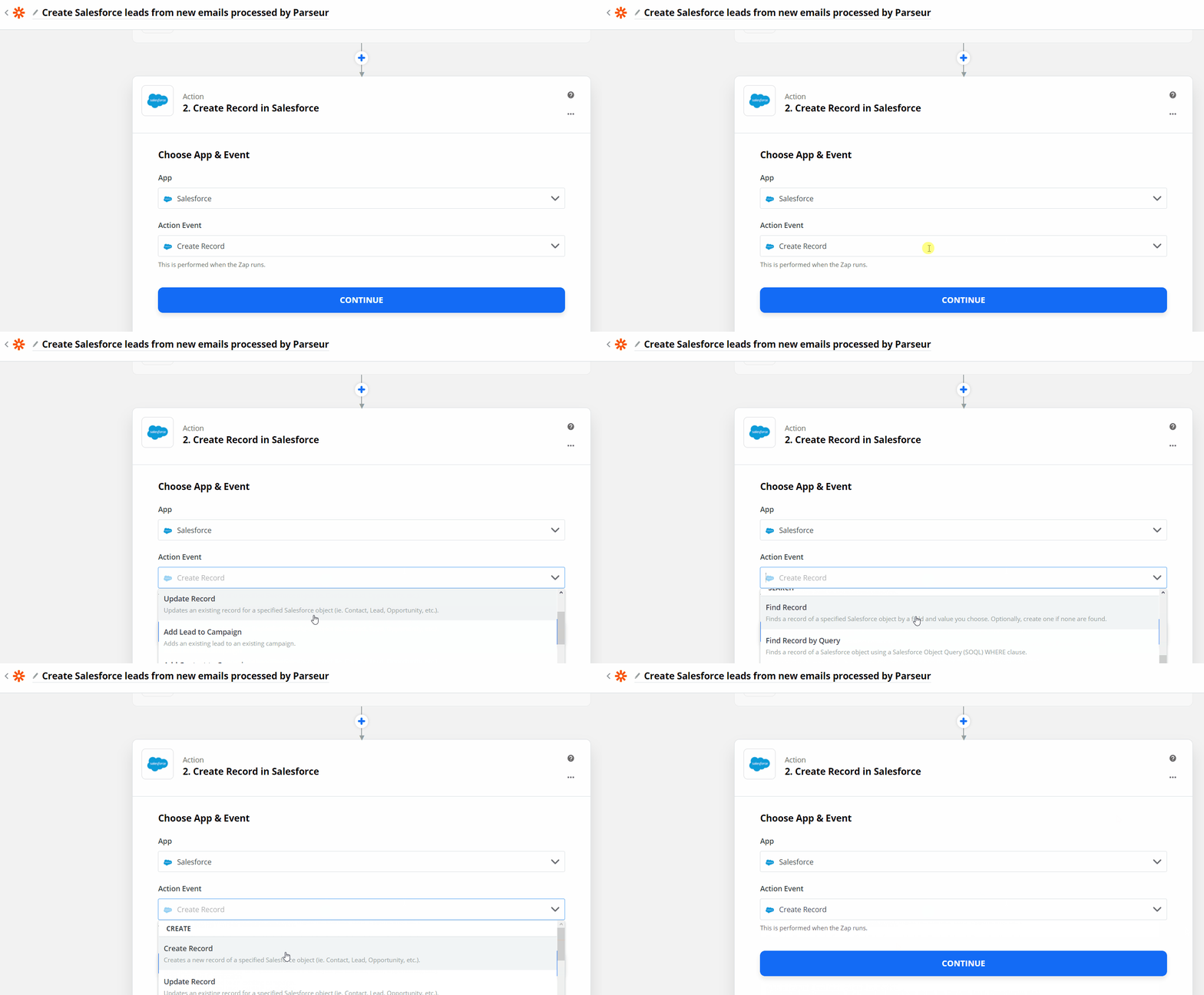
Sign in to your Salesforce account so that you can customize the record. You will be able to use the parsed data to customize the record and send it to Salesforce automatically.
Focus on closing more deals and keep the manual process to Parseur!
Once you've filled in all the fields, you can send a test record to Salesforce.


Once you are happy with the results, turn the Zap on and your integration will be completed. Within minutes, you will have an automated data extraction process set up between an email parser and Salesforce.


