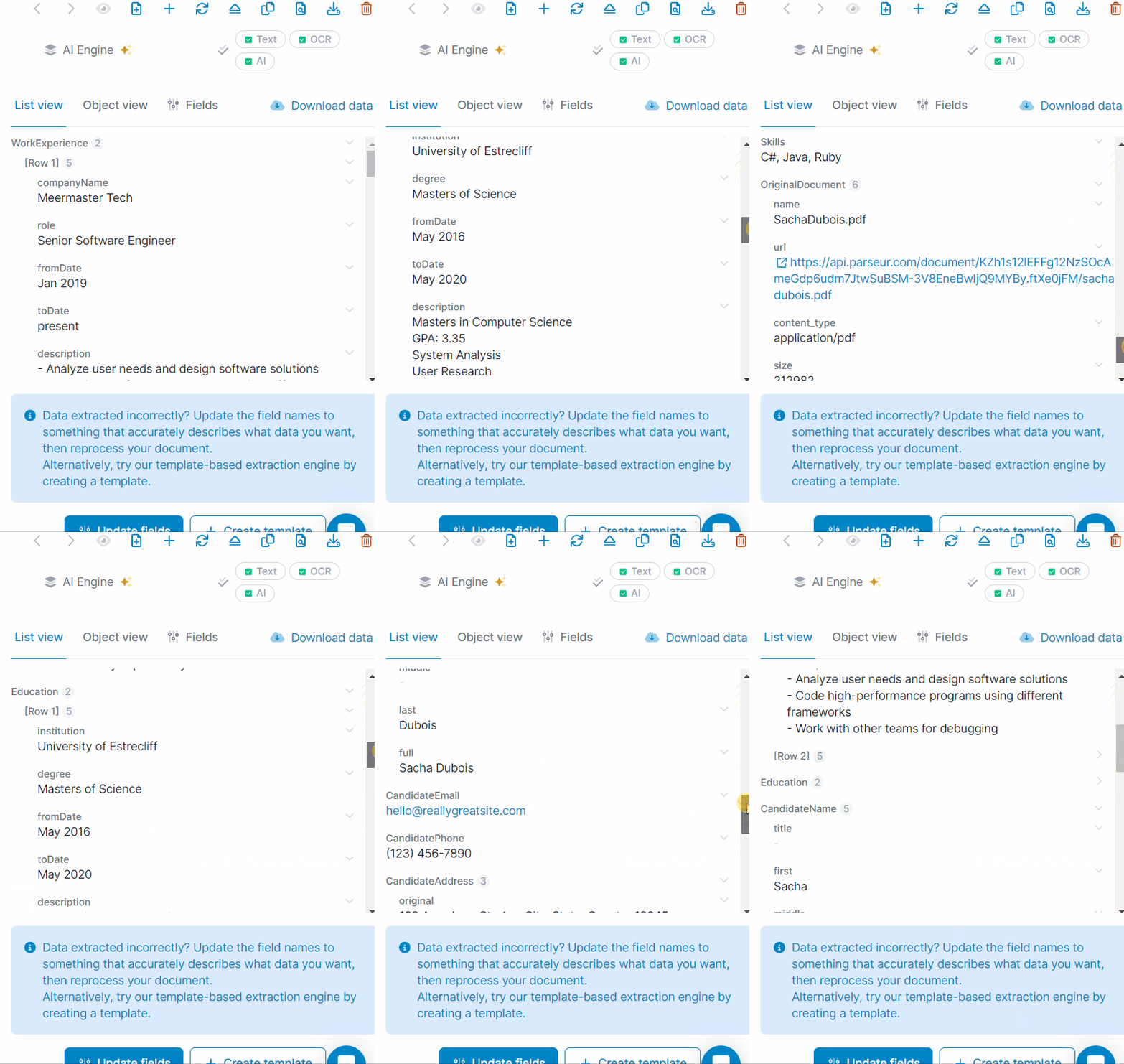
HR onboarding paperwork is two jobs: collecting completed forms, and getting the data from those forms into HR and payroll systems. Onboarding platforms handle the collecting and the signatures. Intelligent document processing (IDP), also called AI document processing, extracts the data from the PDFs, scans, phone photos and email attachments that still arrive outside the portal.
This guide compares both approaches, the tools in each, including document processing APIs for developer teams, and how to protect sensitive employee data along the way.
Key Takeaways
- Onboarding platforms and IDP work together. One collects forms and signatures. The other extracts data from the documents HR receives anyway.
- Documents outside the portal are where the retyping lives. Scanned W-4s, voided checks, IDs and staffing agency packets often skip the onboarding flow entirely.
- IDP platforms such as Parseur extract data from those documents and deliver it to BambooHR, Gusto, Workday, ADP or a spreadsheet.
- Never update payroll from extracted data alone. Validate tax and banking fields, and check vendor encryption, retention, access controls and AI training policies.
What Software Can Collect Tax Forms, Direct Deposit Info and Emergency Contacts Automatically?
To collect tax forms, direct deposit details and emergency contacts automatically, use an onboarding platform such as BambooHR, Gusto, Rippling or WorkBright for everything new hires can type into a portal, and an IDP platform such as Parseur for the W-4s, voided checks and contact forms that still arrive as PDFs, scans and phone photos. Most teams that spend hours a week on new-hire paperwork need both, because the portal never catches everything.
Picture an HR coordinator at a 12-location home care agency. The onboarding portal works for most hires. Then a nurse emails a phone photo of her W-4, a staffing agency sends a 14-page PDF packet for three temps, and a cook hands in a voided check that someone scans crooked. Each one becomes ten minutes of retyping into BambooHR or ADP, and the 10 hours a week add up to about 520 hours a year.
| If your new-hire paperwork... | Use |
|---|---|
| Is typed and signed by new hires in a portal | Onboarding platform (BambooHR, Gusto, Rippling, WorkBright) |
| Arrives as PDFs, scans, photos or email attachments | IDP platform (Parseur, Nanonets, Docsumo) |
| Comes in agency or PEO packets with several documents per hire | IDP platform with document splitting |
| Needs to be generated from data you already hold | PDF form API (Anvil, DocSpring) |
| Feeds an HR product your engineers are building | Document processing API (Mindee, Azure, Google, AWS) |
Three Jobs in HR Onboarding Paperwork
HR onboarding document automation covers three different jobs: collecting employee information, generating completed forms, and extracting data from documents. Each needs different software, though some platforms do more than one.
Most teams have not automated much of it yet. Onboarded's 2026 State of High-Volume Onboarding report, which surveyed 404 hiring, onboarding, operations and compliance leaders in June and July 2026, found that only 38.6% said assigning the right forms runs automatically, and only 34.4% said document-accuracy checks run automatically, without someone stepping in. The rest is still manual work, which is why it matters to match each job to the right tool.
| Collect and sign | Generate or fill PDFs | Extract data | |
|---|---|---|---|
| Tools | Onboarding platforms, form builders, e-signature tools | PDF form APIs | IDP platforms and document processing APIs |
| Input | Information new hires enter into a portal | Employee data already stored in a system | PDFs, scans, photos and email attachments |
| Output | Completed and signed forms | Pre-filled PDF documents | Structured fields for an HRIS, payroll platform or spreadsheet |
Unlike onboarding portals and PDF form generators, intelligent document processing software extracts structured information from documents employees have already submitted. This guide focuses on that third job.
What Onboarding Documents Can IDP Process?
IDP extracts structured information from tax forms, bank details, identity documents and employee records that arrive outside the onboarding portal as PDFs, scans, photos or email attachments.
- Form W-4 and state withholding forms: often submitted as scans or photos, with handwriting and checkboxes that are hard to capture consistently.
- Form I-9 supporting documents: document numbers, issuing authorities and expiration dates need careful extraction and review.
- Direct deposit forms, voided checks and bank letters: routing numbers, account numbers and account types need strict validation.
- Emergency contact and personal information forms: different layouts, handwriting and missing details.
- Identity documents: names, dates of birth, document numbers and expiration dates in many formats.
- Staffing agency and PEO new-hire packets: several documents per employee that need splitting before extraction.
- Certifications, licenses and background check reports: credentials, issuers and expiry dates across several pages.
- Benefits enrollment forms: checkboxes, plan tables and dependents.
- Prior-employer payslips: pay periods, earnings, deductions and totals in every payroll provider's layout.
For the full field-by-field setup, see onboarding document data extraction.
Important: IDP can extract information from Form I-9 and its supporting documents, but it does not replace employment eligibility verification. Employers remain responsible for examining the documents and completing Form I-9 under U.S. Citizenship and Immigration Services (USCIS) requirements, including any authorized alternative examination procedure.
What Data Does IDP Extract From HR Onboarding Documents, and Where Does It Go?
IDP turns each onboarding document into structured fields for the HRIS, payroll platform or benefits system, with a different check needed for each document type.
| Document | Key fields extracted | Check needed | Destination |
|---|---|---|---|
| W-4 and state withholding forms | Name, address, filing status, withholding elections | Review against the submitted form | Payroll |
| Form I-9 supporting documents | Name, document number, issuing authority, expiration date | Employer document examination under I-9 rules | Authorized I-9 records system |
| Direct deposit forms and voided checks | Bank name, routing number, account number, account type | Confirm with the employee before any payroll change | Payroll |
| Emergency contact forms | Contact name, relationship, phone number, address | Missing or inconsistent details | HRIS |
| Identity documents | Full name, date of birth, document number, expiration date | Review against the original document | HRIS or authorized verification workflow |
| Staffing agency or PEO packets | Employee details, assignment dates, job title, agency | Match employee records, flag missing documents | HRIS |
| Certifications and licenses | Credential, issuer, license number, expiration date | Verify validity where required | HRIS or credential tracking |
| Benefits enrollment forms | Employee details, plan, dependents, coverage elections | Confirm selections and eligibility | Benefits administration system |
| Prior-employer payslips | Employee name, pay period, gross pay, deductions, net pay | Review amounts and relevance to the approved process | Authorized HR or payroll records |
For payroll records, payroll document data extraction covers the setup in detail.
Never update payroll or banking information from extracted data alone. Tax identification numbers, bank account details and withholding elections should pass validation and human review before changes are approved. A human-in-the-loop AI workflow lets HR resolve discrepancies and approve sensitive updates before the data reaches payroll.
How Extracted Data Reaches Your HRIS or Payroll System
Which route your data takes depends on the HR stack. Small and mid-size employers tend to run BambooHR, Gusto or Rippling. Multi-location and hourly-heavy employers often sit on ADP Workforce Now, Paychex, Paylocity or UKG, and larger organizations on Workday. Staffing agencies and PEOs add their own back office, and almost every HR team keeps a tracking spreadsheet. Here is how Parseur gets onboarding data into each.
| HR or payroll system | How Parseur sends extracted data |
|---|---|
| BambooHR | Zapier, see the BambooHR integration |
| Gusto | Zapier, using Zapier's Gusto app |
| Workday | Make or Zapier, see the Workday integration |
| ADP, Rippling, Paychex, Paylocity, UKG | Webhooks or the REST API, through your HR tech team or integration partner |
| Microsoft 365 HR workflows | Power Automate, for SharePoint lists or approval flows |
| Google Sheets and Excel | Native Google Sheets and Excel exports for onboarding trackers |
Connector source: Gusto on Zapier. Check that the exact action you need, such as creating an employee or updating a bank account, is available on your plan before relying on it.
What Security and Compliance Features Should HR Document Processing Software Have?
HR onboarding documents hold tax identification numbers, bank account details, home addresses and identity records, so verify how a vendor protects, stores, accesses and deletes them before you upload anything.
| Security requirement | What HR teams should verify |
|---|---|
| Encryption in transit and at rest | Documents and extracted data are encrypted during transfer and storage |
| Role-based access controls | Only authorized staff can view, process or export sensitive records |
| Retention and deletion controls | Documents are deleted on a defined schedule, subject to legal recordkeeping requirements |
| Data residency | The vendor discloses where data is stored and processed, including subprocessors |
| SOC 2 Type II report | Request the independent report and review its scope and findings |
| GDPR obligations | Review the data processing agreement and international transfer safeguards, where applicable |
| No training on customer documents | Employee documents and extracted data are not used to train AI models, including third-party ones |
| Audit trail | Access, processing and changes are recorded for accountability |
Why Are Email Inboxes and Shared Folders Risky?
Email inboxes and shared folders expose employee tax and banking data to more people, for longer, than onboarding requires. Attachments get forwarded, downloaded, duplicated and kept long after the hire starts. Shared accounts and broad folder permissions make it hard to control access or delete on time. A controlled intake address, restricted access, a retention policy and an auditable workflow are safer than an open HR inbox.
How Does Parseur Protect Employee Documents?
Parseur encrypts customer data in transit and at rest, supports role-based permissions, and lets each mailbox delete documents on its own retention schedule, down to one day, according to its security page. Parseur does not use customer documents to train AI models, stores application data in the European Union, and completed an independent SOC 2 Type II examination in September 2026, with the report available on request.
These safeguards support HR document processing, but employers still assess their own privacy, access, retention and regulatory obligations before uploading employee records.
What Should You Look for in an IDP Tool for HR Onboarding?
The right IDP tool reads the employee documents you actually receive, supports validation and review, and delivers structured data to your HR or payroll system without new manual work.
Most HR teams buy this kind of tool with little IT time. The privacy review comes first, often before anyone sees a demo, because the first test documents contain Social Security numbers and bank details. The practical way through is to trial with synthetic or anonymized W-4s and voided checks, then involve IT only for the HRIS connection. The eight checks below follow that order.

- Can it process scans and phone photos? Test scanned tax forms, photographed IDs, handwriting and inconsistent layouts.
- Does it need a template for every form? It should handle form versions and sender layouts without one template each. Ask what happens when a format changes.
- Can it validate sensitive fields? Look for rules on bank details, tax IDs and dates. Extraction alone is not verification.
- Can HR review data before export? Sensitive or incomplete fields should be checked before they reach payroll.
- How do documents get in? A dedicated HR inbox, uploads or an API, matched to how new hires and agencies send paperwork.
- How does it connect to your HRIS and payroll? BambooHR, Workday, ADP, Gusto, Rippling: native, Zapier, Power Automate or API, and how much IT it takes.
- How does it protect employee data? Encryption, role-based access, retention, residency, audit trails, SOC 2 Type II, GDPR and AI training policy.
- Who runs the workflow? HR operations on their own, or developers building and supporting it.
Tool details come from each vendor's public documentation.
The Best AI Document Processing Tools for HR Onboarding
The best AI document processing tools for HR onboarding split into IDP platforms that HR teams can run, Parseur, Nanonets and Docsumo, and developer-oriented APIs, Mindee, Azure AI Document Intelligence, Google Document AI and Amazon Textract. The real difference is how much of the workflow each one covers beyond extraction: intake, validation, review and delivery to the HRIS or payroll.
Parseur publishes this guide and appears first. The tools are not ranked.
Parseur
Parseur is an IDP platform for HR and people operations teams that receive onboarding documents from new hires, staffing agencies and other senders in different formats. It extracts completed W-4s, I-9 paperwork, direct deposit authorizations, identity documents and other onboarding records received as PDFs, scans, photos or email attachments.
Documents enter through a dedicated mailbox email address, uploads or the API. Parseur's Vision AI reads scans and phone photos, and extraction works from fields you describe in plain language rather than a template per form. Agency packets can be split by page, page range, keyword or AI before extraction. Normalization and validation run before export.
Data goes to Google Sheets, Excel, Zapier, Make, Microsoft Power Automate, webhooks or the API. From there it reaches BambooHR, Gusto, Workday and other HR systems.
Security: Parseur has run in production since 2016 and processed more than 100 million documents, with 99.9% uptime or better. It completed an independent SOC 2 Type II examination in September 2026, is GDPR compliant, hosts application data in the EU, encrypts data at rest and in transit, offers configurable retention, and does not use customer documents to train AI models. See Parseur security.
Best fit: HR and people operations teams, staffing agencies and PEOs handling recurring onboarding documents from many senders who want them in their HR systems without building extraction infrastructure.
Limitations: Parseur does not distribute onboarding forms, collect e-signatures or manage onboarding checklists. It has no dedicated multi-step review queue, so approvals for sensitive changes happen in the destination system or as an approval step in the automation. It does not provide per-field confidence scores. The employer remains responsible for Form I-9 verification.
More on Parseur for human resources.
Nanonets
Nanonets is an IDP platform that combines extraction with configurable workflows, validation rules and approval stages. It can be configured for employee forms, identity records and payroll paperwork, though teams should confirm the setup needed for each HR document rather than assume a prebuilt model exists.
Documents enter through uploads, email workflows and integrations such as Google Drive and Dropbox. Nanonets extracts fields, applies validation rules, routes documents to review stages and exports after approval. HRIS and payroll connections need verification for your system.
Security: Nanonets reports AES-256 encryption at rest, encryption in transit, access controls and audit trails, SOC 2 Type I and Type II attestations, and ISO/IEC 27001 certification, with reports on request.
Best fit: organizations that need extraction with configurable business rules, exception handling and approvals.
Limitations: HR-specific fields, payroll integrations and approval configurations may need extra setup.
Docsumo
Docsumo is an IDP platform with pre-trained models for financial and income records, including pay stubs, Form W-2, offer letters and verification-of-employment documents. For onboarding, that matters when new hires submit prior-employer payslips or income records.
Docsumo accepts uploads, email intake and connected systems, supports classification, extraction, validation rules and manual review, and exports CSV, JSON or through integrations.
Security: Docsumo reports SOC 2 Type II, ISO/IEC 27001:2022 and GDPR compliance.
Best fit: teams processing payslips and employment records that need configurable extraction and review.
Limitations: confirm coverage for W-4, I-9, direct deposit and benefits forms individually. HRIS and payroll connections may need integration work.
Mindee
Mindee offers document processing APIs for developers embedding extraction into their own applications. Its payslip API reads PDFs, scans and photos for employee and employer details, pay periods, gross pay, net pay, taxes and deductions, and it also documents models for identity documents and resumes.
Developers submit documents through the API and receive JSON, with SDKs to connect results to internal HR or payroll workflows.
Security: Mindee publishes security and data protection documentation, including GDPR-related controls. Confirm current certifications, processing locations and contractual safeguards before handling employee records.
Best fit: engineering teams building extraction into an HR application or onboarding product.
Limitations: teams build or integrate intake, validation, approval and HRIS delivery around the API.
Azure AI Document Intelligence
Azure AI Document Intelligence is Microsoft's cloud document processing service. Its v4.0 prebuilt models cover pay stubs, identity documents and US tax forms, including Form W-4, and custom models handle other onboarding documents.
Developers submit documents through Azure APIs and receive JSON. Getting fields into Workday, BambooHR or ADP needs a separate integration, for example through Azure services or Power Automate.
Security: Azure provides identity and access management, encryption, regional deployment and compliance documentation. You configure and own the protection of employee data in your setup.
Best fit: organizations on Microsoft Azure that want developer control over HR extraction.
Limitations: it is not an onboarding workflow. Collection, validation, approval, retention and payroll updates are yours to build. For the trade-offs, see build vs buy invoice data extraction.
Google Document AI
Google Document AI offers OCR, specialized processors and Custom Extractor models that can be configured for employee forms, payslips and other onboarding documents, plus identity-document processors whose coverage varies by document type and region.
Documents go in through Google Cloud APIs or storage workflows, and developers build validation, review and delivery to HRIS or payroll.
Security: Google Cloud provides identity and access management, encryption, regional processing options and compliance resources, depending on the processor and region.
Best fit: development teams on Google Cloud building configurable HR document workflows.
Limitations: custom models need configuration, testing and ongoing evaluation, and there is no onboarding checklist, e-signature or HR-to-payroll approval flow.
Amazon Textract
Amazon Textract is an AWS document analysis service that extracts printed text, handwriting, form fields and tables. AnalyzeDocument returns key-value pairs and answers Queries on employee forms, and AnalyzeID reads US driver's licenses and passports.
Developers submit files through the API or Amazon S3 and process results with other AWS services before sending them to an HRIS or payroll system. AWS closed Amazon A2I, its human review service, to new customers on July 30, 2026, so new builds need their own review step.
Security: AWS provides encryption, IAM access control, regional infrastructure and compliance documentation under a shared responsibility model.
Best fit: engineering teams on AWS that want direct control over extraction and integration.
Limitations: routing, validation, approvals, HRIS integration and maintenance are yours to build. See what a production Textract pipeline takes.
How Do the Best AI Document Processing Tools for HR Onboarding Compare?
The main differences are the HR documents each tool supports, how documents get in, and how much technical work it takes to reach the HRIS or payroll system.
| Tool | HR document types | Scans and photos | Intake | HRIS or payroll delivery | Setup | Security and compliance | Best fit |
|---|---|---|---|---|---|---|---|
| Parseur | W-4s, I-9 paperwork, direct deposit forms, IDs, payslips, agency packets | OCR and vision AI | Email, upload, API | BambooHR and Gusto via Zapier, Workday via Make, webhooks, API, Sheets, Excel | Self-serve, HR configures | SOC 2 Type II, GDPR, EU hosting, encryption, configurable retention, no AI training | HR teams and agencies with recurring documents |
| Nanonets | Employee forms, identity records, payroll documents (configured) | OCR | Upload, email workflows, API | Workflow integrations and API, HRIS connections to verify | Configurable workflows | Reports SOC 2 Type I and II, ISO/IEC 27001 | Extraction with validation and approvals |
| Docsumo | Pay stubs, W-2s, offer letters, employment verification | OCR | Upload, email, API | CSV, JSON, API, integrations to verify | Configurable extraction | Reports SOC 2 Type II, ISO/IEC 27001:2022, GDPR | Payslip and employment-document extraction |
| Mindee | Payslips, identity documents, resumes | OCR | API | JSON and webhooks, custom integration | Developer-led | Publishes security and GDPR documentation | Developers embedding extraction in HR apps |
| Azure AI Document Intelligence | Pay stubs, IDs, US tax forms including W-4, custom models | OCR | API, Azure workflows | API, Power Automate or custom integration | Developer-led | Azure encryption, access control, regional deployment | HR extraction workflows on Azure |
| Google Document AI | Identity documents, HR forms via Custom Extractor | OCR | API, Google Cloud workflows | API and Google Cloud services, custom integration | Developer-led | Google Cloud encryption, access control, regional processing | Configurable HR document workflows on Google Cloud |
| Amazon Textract | Forms, US IDs via AnalyzeID, custom queries | OCR | API, Amazon S3 | API and AWS services, custom integration | Developer-led | AWS encryption, IAM, regional infrastructure | AWS teams building extraction pipelines |
Note: supporting a document type does not mean a vendor performs employment eligibility verification, tax compliance or payroll approval. Confirm integrations, security reports and supported formats against current vendor documentation.
When Do You Need an Onboarding Platform or PDF Form API Instead?
If the main goal is to collect employee information, gather signatures or generate completed forms, an onboarding platform, form builder or PDF form API fits better than IDP.
- Onboarding and HRIS platforms: WorkBright focuses on digital onboarding paperwork and completion tracking. Rippling ties onboarding to HR, payroll and IT. BambooHR offers onboarding packets, e-signatures, checklists and document storage. Gusto bundles onboarding paperwork with payroll for smaller US employers.
- Form builders and e-signature tools: Jotform for online forms and signatures, Adobe Acrobat Sign and DocuSign for routing, signing and tracking onboarding paperwork.
- PDF form APIs: Anvil and DocSpring fill PDF templates and generate documents from data you already hold. They do not extract data from scanned forms, photos or email attachments.
If new hires can type everything into a portal, start there. IDP covers the documents that still arrive as files and feeds the same HR system.
Which Document Processing APIs Handle Payslips and Onboarding Forms?
Document processing APIs that handle payslips and onboarding forms include Mindee (payslip, ID and resume APIs), Azure AI Document Intelligence (prebuilt pay stub, ID and Form W-4 models), Docsumo (pay stubs and W-2s), Google Document AI (Custom Extractor and ID processors), Amazon Textract (forms, Queries and AnalyzeID), and Parseur (REST API and webhooks for payslips, W-4s and any onboarding form you define).
The difference is what comes with the API. Mindee, Azure, Google and Textract return JSON and leave intake, validation, review and HRIS delivery to your engineers. Parseur's API sits on the same mailboxes HR uses, so developers can submit documents and receive webhooks while HR operations maintain the fields in the app.
How to Choose the Right HR Onboarding Document Processing Tool
Choose between an onboarding platform, an IDP platform and a document AI API based on how documents arrive, how many you process, and who maintains the workflow.
- How do documents arrive? Through a portal, or as PDFs, scans, photos and attachments from many senders?
- How many do you process? Count new hires and documents per hire each month, including what is retyped today.
- Who runs the workflow? HR operations, or developers building HR software?
| Your situation | Recommended approach | Why it fits |
|---|---|---|
| New hires complete forms in a portal, with few external documents | Onboarding platform | Collects information, signatures and forms directly from employees |
| HR receives recurring documents from many senders and needs data in HRIS or payroll | IDP platform, such as Parseur | Extracts data from incoming documents and delivers it downstream |
| Engineering is building HR software with custom extraction needs | Document AI API | Gives developers control over extraction, validation and integration |
An onboarding platform and an IDP platform often work together. The portal collects what new hires type, and IDP processes everything else into the same HR system.
How to Check IDP Extraction Quality on Your Own HR Documents
Before choosing an IDP platform for HR onboarding, test it on the documents your team actually receives, using synthetic or anonymized copies.
- Collect 20 to 30 sample documents. Use anonymized or synthetic W-4s, voided checks, agency packets and multi-page payslips, including phone photos and scans.
- Check sensitive fields one by one. Compare names, tax IDs, routing and account numbers, dates and pay amounts against the originals.
- Review poor-quality scans. Confirm unreadable or ambiguous values are flagged, not exported.
- Verify deletion. Check that files and extracted data are deleted according to the stated retention policy, including backups.
The goal is to confirm the platform fits your HR workflow, especially how it treats sensitive data, exceptions and retention. A good sample does not guarantee the same result on every document.
Last updated on