
Resumes in the inbox, candidates in Workable
Workable runs the hiring pipeline. Parseur gets the applicants into it. Parseur reads the resumes arriving by email, extracts name, contact details, skills, and work history whatever the CV looks like, and creates the Workable candidate through Zapier. Workable parses what comes through its own careers page. Everything else lands in someone's inbox.
-
Resumes sent by email
Parseur extracts the candidate's details from CVs emailed directly to your recruiting address, so applicants who skipped the careers page still enter the pipeline properly.
-
Agency and referral submissions
Parseur handles the candidate summaries agencies and referrers send in their own formats, delivering one consistent field set to Workable every time.
-
Scanned and PDF CVs
Parseur reads scanned and image-based resumes with its Vision AI engine, so a CV that is really a photograph still becomes a structured candidate record.
How the Workable integration works
-
1. Create your Parseur mailbox
- Sign up and get a dedicated email address where your documents land.
-
2. Forward your emails
- Send emails manually or set up auto forwarding so every new one arrives on its own.
-
3. AI extracts the data
- Parseur reads each email and pulls out the fields you need as structured data.
-
4. Data lands in Workable
- Zapier picks up the parsed data and sends it to Workable in real time.

What is Parseur?
Parseur is a powerful document processing software to extract text from emails, PDFs and documents and automate your workflow. All Parseur features.

What is Workable?
Workable Software is a software-as-a-service that provides applicant tracking system and recruitment software to support and manage the hiring process.

What is Zapier?
Zapier is a cloud automation tool that connects apps together. You can connect two or more apps to automate repetitive tasks without coding or relying on developers to build the integration.
Trusted for multi-format document intake in production
Kompenzo receives documents from many different sources, each with its own structure, and Parseur's AI handles every format without setup per sender. Rasmus Norgaard went from four to five hours of manual extraction per cycle to 15 to 20 minutes of setup and review, which is the same problem a recruiter has with a folder full of differently formatted CVs.
- Less manual work per analysis cycle at Kompenzo
- 95%
- Documents processed by Parseur since 2016
- 100M+
- Parseur rating on Capterra and GetApp
- 5/5
Are you tired of the endless juggling between inboxes, candidate information, and trying to keep your hiring process on track? Fear not, because I've got a tale that will transform your recruiting woes into a story of triumph and efficiency.
Picture this: On one side, you have Parseur, the resume parsing wizard that can extract data from resumes faster than you can say "qualified candidate." On the other side, there's Workable, the recruitment ringmaster, orchestrating your hiring process with the finesse of a maestro. Now, imagine these two joining forces. Exciting, right?
Workable: The recruitment ringmaster
Workable is an ATS (applicant tracking system) to manage the recruitment process from sourcing candidates to onboarding them.
Workable's essential features for hiring
- Source & attract
- Evaluate & collaborate
- Automate & hire
- Onboard & manage
- Service & support
Workable's pricing
The subscription plans start at $149/month and $599/month and involve more features.
Meet Parseur: Our resume parsing wizard
Parseur is that wizard who works hard to take away the manual and boring tasks of HR people and recruiters. Parseur understands how tedious it can be to review countless candidates' profiles within deadlines.
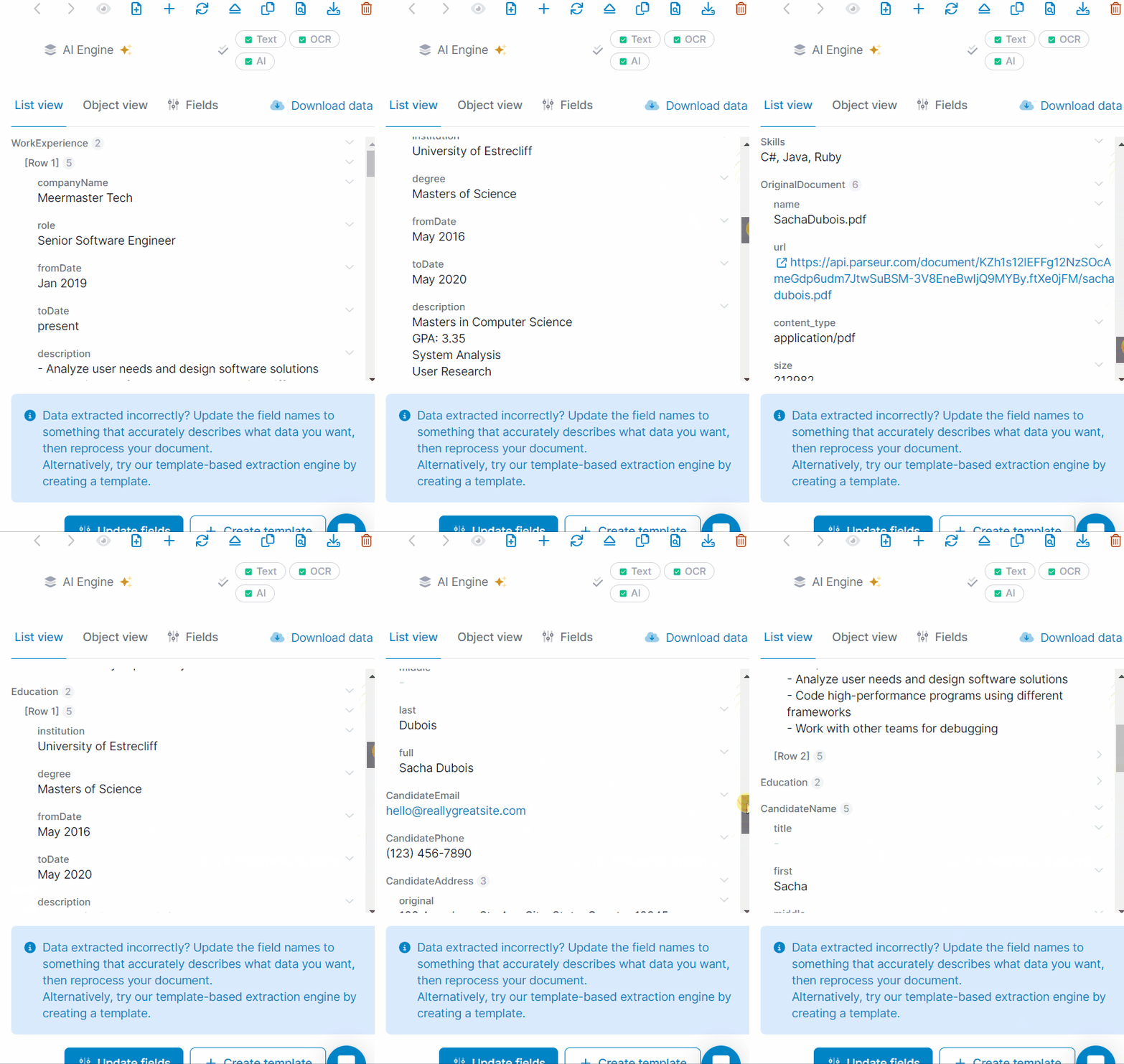
Parseur can help to read, understand and retrieve key information such as:
- Candidates' profile (name, number, address, age)
- Educational background
- Work experience
- Any other details that you need
What will you need for this integration?
- Your Workable account
- A Parseur mailbox
- A Zapier account
Create a resume mailbox
You can create a resume parser for free with Parseur. Upload or drag and drop the resume to the AI parser.
You may have already guessed it -- Parseur has a strong AI engine that processes resumes automatically.
Once Parseur receives the resume, it will be processed instantly.
Read more on how Parseur extracts data from resumes)
Connect Parseur with Zapier
To send data to Workable, connect Parseur with Zapier first. Luckily, that integration is a piece of cake, as Parseur has native integration with Zapier.
Go to the export section in your resume mailbox, click on Zapier and search for Workable.

It will redirect you to your Zapier dashboard.
Note: At this point, you should already have a Zapier account.

Choose your resume mailbox in the dropdown so that Zapier can retrieve the correct resume parsed data.

Connect Parseur with Workable
Choose create candidate as the "action" in Zapier.

Use the parsed data from the resumes to customize the fields and resume data that you want to send to Workable.


Send a magic test from Zapier to Workable
Send a Zapier test to create the candidate in Workable and verify whether it has been successful.


Revolutionizing recruitment with Parseur and Workable
Whether you're a seasoned recruiter or just starting, we hope this Parseur-Workable integration has shown you a whole new world of possibilities. The days of sifting through emails and manually updating candidate records are behind you. Now, you can focus on what truly matters -- finding the right talent and growing your team.
For the curious recruiters
- How to end the never-ending sea of CVs
- Let's time travel through the evolution of hiring.
- Praising those ATS
- Meet our superheroes: best resume parsers in 2024
- How to send resume data to Workday?

